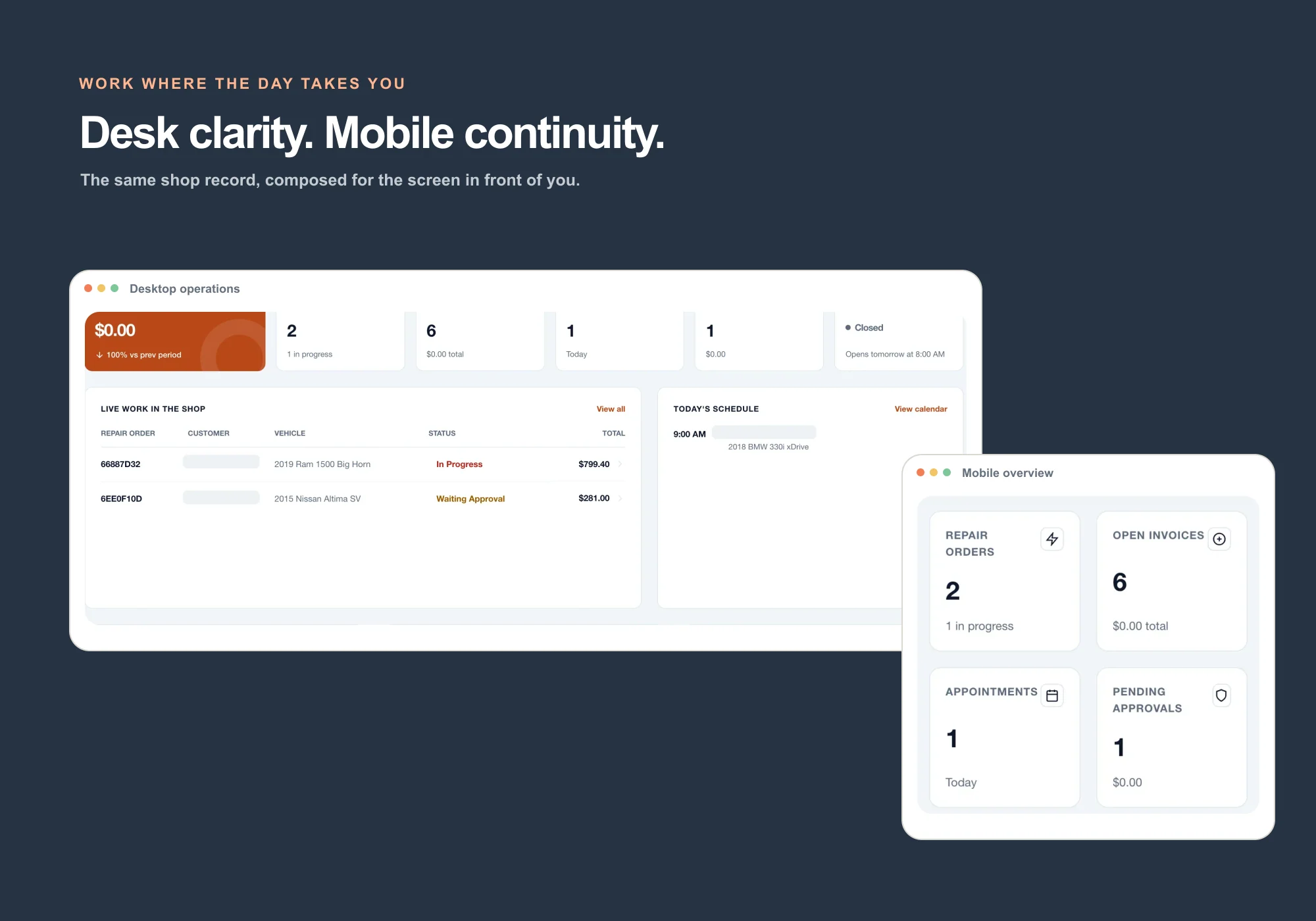
The owner dashboard recomposes for smaller screens, while a restricted mechanic web portal keeps assigned work, notes, photos, inspections, part requests, and shift time separate from owner-only controls.
Review current work, appointments, approvals, invoice state, customers, vehicles, phone tools, and the workflows needing attention from a responsive browser.
Responsive operating overview
Counter check-in and repair-order access
Customer-facing approval and invoice links
Owner controls stay behind owner access
MECHANIC WEB PORTAL
Give technicians the job, not the whole office.
The restricted portal is built around assigned repair orders and shop-floor evidence, with owner billing, settings, and administrative access kept separate.
Assigned repair orders and vehicle details
Notes, photos, and inspection checkpoints
Part requests and progress updates
Shift clocking
What was verified
Real responsive web UI—not a stale app mockup.
The production composition uses the current WrenchDay web dashboard captured at desktop and 390-pixel mobile widths. Native mobile clients were outside this marketing-only audit and are not used as proof on this page.
WRENCHDAY FOR INDEPENDENT SHOPS
A clearer way to run the repair day.
Keep appointments, repair orders, customer approvals, invoices, and team handoffs connected in one practical workspace.